An AI team working on your goals.
Everything that needs you, in one feed.
Three projects, each with items waiting
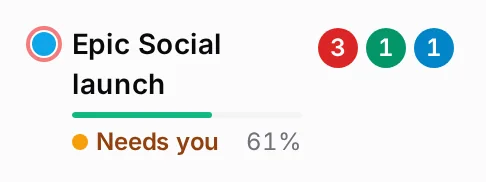
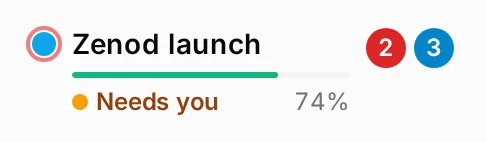
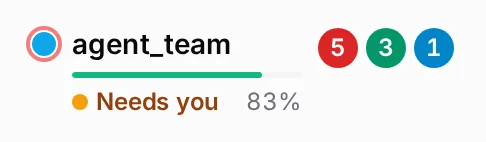
Select Team: one feed

Every ask finds its place in one tree.
Bigger goals sit above the steps that finish them. Before: ideas get lost in old chats.
Show more of the tree
- Done
- Waiting for review
- In progress
- Planned
How it works
An organization that turns like a wheel.
Pure voice in. Work done, every day.
“It’s pure voice. You talk your mind and it turns into a ticketing system. It gets things executed.”
Unstructured ideas in. Delivered work out.Zoom out from the wheel and it is one machine.
Every finished task shows how to check it.
Before: you dig through chats to see what got done.

The project manager on top of your spine.
EpicSpine keeps the tickets. EpicTeam runs them: one backlog grows out of all your sessions, and it wakes agents with a role, skills and a goal, once a day, twice a day or once a week.
Give it a whole line of work, like a social media agency, and the loop keeps going: it acts, reads what comes back, and writes the lesson into the spine before the next round.
- Delivery managerStarts a worker for every ready ticketeach wake
- UnblockerAnswers the questions your goals already settleon a new question, or every 6 h
- Gap finderFinds what you asked for twice and still lackonce a day
- Input reviewerChecks that each new note found its placeonce a day
- PrioritizerProposes at most three next goalsonce a day
What it does.
Every site counts its own visitors
Each of your sites shows its daily visits and sign-ups on its own row, named and linked, with test visits kept apart.
Steps you do by hand come as one page.
When only you can do something, you get one page of steps. Tick Done or Stuck on each, add a note, and the waiting work starts.
Open EpicTeam at cloud.epicteam.app
EpicTeam answers on its own address from anywhere, in its own look, and asks for a login before anything else. Old app.epicteam.app links still land there.
Sign up or sign in with Google or GitHub
Press Continue with Google or Continue with GitHub on EpicTeam or EpicSocial. A new account gets its own world, an existing one signs straight in.
The team emails you. Your reply finds its ticket.
The team writes to you about one task, with its code in the subject. Reply from any mail app and your words land on that task by themselves.
Your agents send from their own addresses
The team mails from [email protected] and [email protected], and mail to those addresses reaches you. No paid mailboxes and no clicks per address.
One plan, one price
EpicTeam is one product at 49 euros a month with your own AI key, and the page says what it includes.
Projects, not milestones.
The screens say project wherever they used to say milestone, so each project reads as the thing you are building.
Your goals as a scorecard.
Each pursuit you care about shows as one row with its deck, kit and value proposition one click away, and a mark for moving or stalled when nothing changed in three days.
One-time jobs, followed to done.
A job that belongs to none of your goals, like a letter about a dispute, still runs from your voice note to a card you answer, and shows on the One-offs page in the side menu until it is done.
What every teammate got done, one line each.
Each teammate ends its shift by logging every real outcome, delivered, a learning added, two merged, on one Outcomes page you filter by day, teammate, product or task. Two teammates never start the same task: the second is turned away and every task shows who holds it.
Priority mode.
One action asks every running session to save its place and stop, runs only the one or two tickets you name, then wakes the others where they left off.
Your marketing team asks your build team
When a campaign needs something built, EpicSocial writes one request to your inbox. On your yes it goes to EpicTeam's desk, which builds it and reports back.
Talk to your team, by voice or chat.
Speak when it is easier than typing. The team hears every word, once.
Call your team
Press Call and talk. A voice line answers, passes the work on, and the whole call lands in Chat with what it cost.
It listens while you think aloud
While you talk the voice says a word or two and waits. It answers when you say you are done, warmly and at once.
A call picks up where you left off
The voice remembers the last day of chat and calls, and knows your goals in their order.
Chat and Call on every goal
Each goal on your home page has its own Chat and Call, with a voice that knows that goal.
Calls never run on for nothing
After a minute of silence the call warns you and hangs up, or ends when you say goodbye, with the transcript and cost kept.
A locked phone keeps the call and the note
Calls and voice notes keep going when the screen locks, with big buttons that are easy to hit outdoors.
A voice note follows you around
Keep recording while you move between pages. A small pill takes you back, the mic is ready at once and a phone call never loses the note.
Every voice note lands in your memory
Notes from Chat and WhatsApp are kept once in shared memory, where every agent can find them.
One note, every part handled
Answer one card by voice and anything else your words touch reaches the rest of the team too.
Replies read aloud only when you ask
Nothing plays by itself. Press Play for a calm voice, and stop it whenever you like.
Send screenshots and files in Chat
Attach or paste images and files, and the team sees them with your message.
Chat opens in under a second
The latest messages show at once and older ones load as you scroll.
Chat is one tap away
A Chat icon sits in the top bar on every page, laid out for the phone, with tables shown as tables.
Your red line sits on top
The team reads your recent voice notes, proposes the one thing that moves you forward most, and keeps what blocks it at the top of your inbox once you agree.
A voice note from any page
Tap the microphone in the top bar to send your team a voice note without leaving the page you are on.
Talk once, both desks hear it
Say it to either desk, and the part meant for the other desk reaches it at once, in your own words.
One report a day from your desk.
Every evening your desks send one WhatsApp and one email together: what each got done, the numbers that moved, and the one thing each needs from you.
A strategist for each big project
Three times a week a strategist reads all the open work of one project and its numbers, names what you are really after, says what moves it and what is busywork, and brings you a few recommendations with why.
Speak once on a card, both desks hear
A voice note you leave on a card that also speaks to your other team reaches that desk once, and you get one line saying so.
Say it twice and the team checks it is live
When you ask for the same thing twice, by voice or typed in the chat, the team opens the live screen on a phone and a laptop and checks it against your words. If it is not there, you get one red message saying what is missing. A typed message can also mark a card stale, not only a voice note.
Keeps your inbox focused, no context overload.
Small things the team does so your list holds only what needs you, once, in words you can judge.
One page, one card
When several tasks change the same page, you get one card for it, never one per task.
Folded tasks close themselves
A task folded into another task's card closes on its own, so it never asks you twice.
Answered questions leave your list
Answer a question once, in the inbox or in the repo, and it drops off for good.
Snooze what can wait
Hide anything for three hours, three days, a week or a month. It comes back by itself, and a count shows what is snoozed.
Vague work never reaches you
Finished work reaches you only as a clear card with a live link to check. Anything vaguer goes back to the agent first.
The Gap finder skips what already shipped
Each day it lists what you asked for more than once and still lack, after checking what was delivered since its last run.
Proposals never repeat
The two personas that suggest new goals check what exists and each other first, and never suggest a turned-down idea again.
Every button answers at once
A press is saved within a second and the slow repo write runs after, so you never wait or press twice.
One answer closes every repeat
Answer a question once and every other open question it settles closes too, quoting your words. Money and access questions only get flagged.
What still needs you, ranked
One page lists every task that still needs your hands, ranked by the minutes it costs you each week, with how each one leaves your hands.
Your inbox sorts by what you said matters
A helper reads your recent voice notes and ranks every card high, normal or low, with your own words as the reason. When it cannot tell, it asks you once.
Three clear buttons on every card
A question gets one Answer. Finished work gets Approve, Changes wanted or Decline, and changes wanted reopen the work by themselves.
Answer any card with a voice note
Record your answer on the card itself. It is written out and sent as your reply.
The next card lands where you were
When a card closes, the page scrolls so the next card's top sits where the old one was, on the phone too.
Add a last thought, or bring a card back
After a card closes, a short note offers to add a last thought, by voice or text, to the same owner, or to bring the card back. Every card you closed stays findable with Add comment, even to change your decision.
Every card says how old it is
Each card shows when it was raised, like 5 min ago or 3 days ago, next to its kind.
One card per task
A task that reports twice still reaches you as one card, never two copies.
Sort each list your way
Lists open in priority order. Switch a list to most recent or longest waiting and it remembers.
A home page that stays tidy
Answered and in-progress lists fold away and scroll in their own pane, every section looks the same and cards never scroll sideways.
Counts you can read at a glance
A red count for what is blocked on you, a green one for work to check, and an unread count on Chat, on every milestone too.
One inbox for every project
Finished work from every project lands in the same inbox, whatever repo it lives in.
Every voice note gets a second look
A day later each note is read again, ask by ask, and anything that never became a task is offered to you.
Questions go to the right person
Bring in other people. Each gets their own inbox, and a question goes to whoever knows, not always to you.
Your laptop tasks, one sitting.
Say you are on your laptop and the tasks only your Mac can do come first, each one text to paste into the Claude app. Each task opens into one card per thing you do, with its own Done, Stuck and note. No terminal steps.
Laptop tasks that name every step.
Each laptop task reads the team's rules first, names the exact address, account and button for every step, follows what you decided and does the rest by itself, so you only press what only you can.
Your long voice notes update the cards they touch
After a long voice note, every card in your inbox it speaks about shows Updated or Stale with your words, and its owner hears you at once.
Live tester counts on your red line
Your red line shows how many testers applied, signed up and pay, read live from the product, with a link to its testers page.
Red lines as one slim row each.
Each red line at the top of your inbox takes one slim row. Tap the pencil to change it by typing or by voice, or the bin to remove it.
Accept an adviser's whole set at once.
Press Accept all on a persona's recommendations, or accept one, ask a question back or say no. Every one you accept becomes a task the team delivers.
Everything the team asks of you, and why.
One live page lists every task the team gives you, in every project, each with one line on why the team cannot do it itself. What the team can do, it takes back, and the count shows week by week. A new task with no reason never reaches your inbox.
One quiet design for the Inbox and every card.
Every card has the same frame, a short heading, one grey line saying why and two buttons. The Inbox shows what is blocked on you, then finished work to check.
Settings holds only what you change.
Settings shows your red lines and the pages you set things on. The dashboard panels you did not use are gone, and one switch brings them back.
Every card says where it came from and what you decide.
Each card opens with where it came from, your own words and their date or who raised it and why, and ends with the one decision asked of you and what the team recommends. A card without both never reaches your inbox.
Every card is checked against your own words first.
Before a card reaches you, the team opens what it made on a phone and on a laptop and sets your own words beside it, point by point. A card that missed what you said, or looks squashed or broken, goes back to the team, and a card that passes shows you the live screen.
Your inbox opens in under 2 seconds on a phone, and nothing jumps.
The inbox sends only what the screen shows, and each part fills in its own place from the top down, so a card never moves away while you read it.
Find anything in your inbox with one word.
Type a word at the top of the inbox and every section, blocked, to review and done, shows only what matches, including your own notes.
Pictures shaped like the idea
Every page the team sends draws its idea in the shape it has: a cycle as a wheel, a sequence as one line, a hierarchy as a tree, a comparison side by side. A big decision comes as one page with the bottom line at the top and the bottom.
Your inbox tells you how each goal is doing, and what to try next.
Every day each scorecard sends one short digest, greener or redder and why. The team adds up to three ideas to get there faster, and asks you to set a goal where none is set. You answer by voice, text or one tap, and you can show one kind at a time.
Home shows how every goal is doing, with your inbox one tap away.
Home opens on all your goal sets, each row green, amber or red. The Inbox button sits in the top bar beside Chat and the microphone, with its counts, on any screen and on a phone.
A decision is answered by its next step.
A card that asks you to decide shows its options as its buttons, each saying what happens next, like Yes: plan it or No: park it, plus room for your own words. One table lists every card type and its buttons.
The Senior advisor's week, as one set.
Your Senior advisor's suggestions for the week arrive in your Inbox as one marked set: accept all with one button, or accept, decline or answer each one. An accepted one becomes a ready task.
Sort what waits for your review
Sort finished work waiting for your review by priority, newest or longest waiting, and each inbox section remembers its own choice.
Connect an account with one button.
When the team needs one of your accounts, like a YouTube channel, a card in your inbox names the exact Google account and channel. One tap opens Google's own Allow page in the browser you are in, and the card says Connected.
See every time the team asked you to act.
Each time the team needs you, it is logged: what it asked, why only you could do it, how many tries and minutes it took, and whether you found it clear. One page counts the asks by week, a number the team works to bring to zero.
Every ask is tried by a fresh agent first
Before a request reaches you, an agent that sees only the card opens its links and walks each step. If it would have to ask which one or where, the request goes back to the team to be rewritten.
Sort the combined inbox
The combined inbox on your objectives home sorts by highest priority, most recent or longest standing, like your own inbox.
See your team at work.
Where your goals stand, what the agents are doing and what they made, each in one place.
Your goals in your order
Goals list in the order you set, pinned from their own page. Say something matters more and the team reorders them.
A deck for every big goal
Each big goal has a short deck at a fixed address, with your own words in it, and it reaches you when it changes.
Every deliverable in one place
Each goal's page links everything made for it, from mockups to live pages, so nothing gets lost.
See your agents over the day
The Runs page charts how many agents worked at each moment, and on which server.
One project at a time
Switch between your products and the whole home page follows the one you picked.
Skills you can add
Your team starts with ready skills, and you can add your own and choose which agents use them.
Everything it makes looks like yours
Decks, diagrams, screenshots and clips share one house style and carry each product's own logo.
Your team has its own mailbox
Write to the team by email. It sends mail within set limits, and every send is logged.
Sign-ins are checked every hour
If a site signs the team out, you hear within the hour with the one step that fixes it.
Send a tool, get a verdict
Spot a tool you like and the team tries it, compares it with similar ones and says if it is worth using.
Your home lists what you build
Each product you build gets its own list on your home, with its campaigns and how many answers and checks wait on you there.
A stable product while the team builds fast
Every change runs on a staging copy first. Your product moves to a new release only when one ran well there, and one step puts the previous release back. The Releases page shows what runs where and every move.
A persona that turns your repeats into rules.
It reads your asks and voice notes, finds what should have become a standing rule and did not, then adds or merges the rule and logs each change.
A daily review of every wheel's goals.
A persona checks each wheel's rows for the vague, the unmeasurable and the stalled, and leaves its suggestions as cards in your inbox.
A daily speed log with predicted gains.
A persona reads the logs every day, reports how long your asks take to deliver and where the time goes, and proposes fixes with the gain each should bring, then checks the gain happened.
What shipped, kept in your memory
Every evening the day's list of what your team shipped goes into your own memory, grouped by goal, so you can ask what happened on any day.
Every page has a home
Summaries, reports and mockups the team makes are listed on Pages by repo and epic, with a search, reached from the sidebar, and each page has a bar back up to it.
Key results that check themselves.
Is the team's browser signing in and posting? Is your social running on every channel? Each key result is read live every hour and shows green, amber or red with the reason.
Sign in once. Every agent can use it.
Before: every agent needs its own logins.
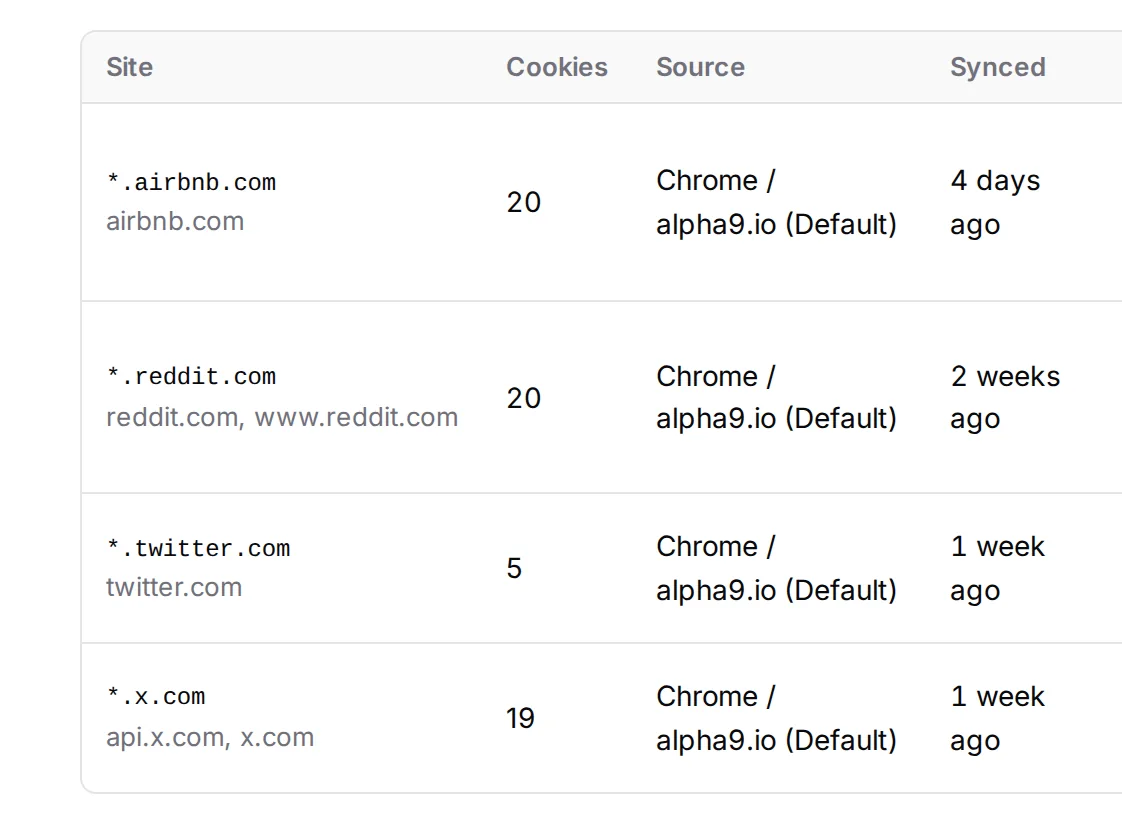
What your agents can read, send and answer.
Per channel, tested on its own schedule. Last tested 2026-11-09. One mailbox: the Gmail you connect. Mail to anyone but you, and any post, waits for your yes.
| Channel | Read | Send | Reply in public | Receive | Answer |
|---|---|---|---|---|---|
| RedditReads posts, comments and chats. Posts, replies and answers go out only through your own home connection. | Works | Partly | Partly | Works | Partly |
| XBuilt and proven: posts, replies and mentions through the official X API. Paused while the team account is renamed. | Not yet | Not yet | Not yet | Not yet | Not yet |
| EmailReads your connected Gmail, mails you about a ticket, and your reply lands on that ticket. Mail to anyone else waits for your yes. | Works | Works | n/a | Works | Works |
| WhatsAppSends you what waits on you, and your voice notes reach the team as text. | n/a | Works | n/a | Works | Not yet |
| AirbnbReads and answers host messages, with the text you approved. | Partly | n/a | n/a | Works | Works |
| TikTokNot built yet: the account comes first. | Not yet | Not yet | Not yet | Not yet | Not yet |
| InstagramNot built yet: the account comes first. | Not yet | Not yet | Not yet | Not yet | Not yet |
| LinkedInNot built yet: the company page comes first. | Not yet | Not yet | Not yet | Not yet | Not yet |
| YouTubeNot built yet: the channel comes first. | Not yet | Not yet | Not yet | n/a | n/a |
One usage limit never stops the work.
Before: one subscription hits its limit and everything waits.
Its memory is your repo.
EpicTeam runs on EpicSpine, so nothing is locked inside the app. What EpicSpine does

One plan. €49 a month.
You bring your own AI and your own server. We run the console that runs your team on them.
Your agents use your own AI key by default, billed to you by Anthropic or OpenAI. The server is yours too, in your own Hetzner account, about €6 to €11 a month for most teams. If you leave, it stays with you.
What the €49 covers
- Your own team page, inbox, goals and review cards, on phone and laptop
- Every persona, on its own schedule
- We set up your server and keep it running
- As many AI seats as your server holds, in one pool
- Your keys and sign-ins kept for your team only
You pay your AI and your server yourself, so a busy month never costs you more here. You may sign in with your own Claude subscription on your server, but that sign-in is yours: we never see it or store it. Prices before VAT.
Want it for your team?
EpicTeam runs our own work every day. Until it opens at €49 a month, the way in is the EpicSocial alpha, built on it.